|
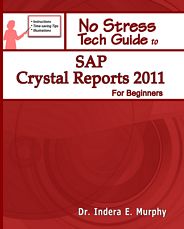
SAP Crystal Reports 2011 For Beginners
|
By Dr. Indera E. Murphy
First Edition September 2011
Revised May 2013
ISBN-13:
978-1-935208-15-0
ISBN-10:
1-935208-15-2
LCCN:
2011939873
394 Pages
Paperback
Price $60.95 US
Table Of Contents
You can buy this book from: Amazon or Barnes & Noble
|
If you want to learn more than the basics of Crystal Reports, including using functions, enhancing parameter fields with formulas, creating subreports and more, our book, Crystal Reports Beyond The Basics will take your report design skills to the next level. It may be just what you are looking for.
|
Overview
If you have been looking for a beginners book that has a lot of step-by-step instructions and screen shots to let you know that you are mastering Crystal Reports 2011 design techniques correctly, this is the book for you. The Crystal Reports 2011 For Beginners book is a self-paced guide to learning Crystal Reports and is written from the perspective that the reader has not created a report before or has not used Crystal Reports. There are time saving tips, advice and humor to help you over the rough areas, and enhance your Crystal Reports knowledge. In a user-friendly way, you will tackle the topics listed below and much, much more, without getting "stressed" out. You will learn the skills required to become an effective report designer.
- Basic reporting skills and report design techniques
- Database concepts
- Connect to a database
- Select, sort, group and summarize data
- Create charts
- Use parameter fields to create interactive reports
- Use the Formula Editor and Formula Workshop to manipulate data and create formulas
Crystal Reports is the most popular report writing software on the market. The SAP Crystal Reports 2011 For Beginners will lead the novice and intermediate user through the features of Crystal Reports, which will take your skills to the next level. This book is not for Crystal Reports advanced or power users. To help you become familiar with the options, the SAP Crystal Reports 2011 For Beginners book contains over 600 screen shots that provide a visual tour of the software.
This book does not cover the version of Crystal Reports that goes with Visual Studio 2010. Click here for that book.
Table Of Contents (v2.0)
Chapter 1 - Getting Started With SAP Crystal Reports 2011
Chapter 2 - Toolbars, Menus And Customization Options
Chapter 3 - Database Terminology And The Crystal Reports Workspace
Chapter 4 - Create Your First Report
Chapter 5 - Creating Reports From Scratch
Chapter 6 - Aligning Objects On A Report
Chapter 7 - Editing And Formatting Reports
Chapter 8 - Using Subsections, Special Fields
And The Report Explorer
Chapter 9 - Selecting Records
Chapter 10 - Grouping, Sorting And Summarizing Records
Chapter 11 - Creating Custom Groups
Chapter 12 - Using The Report Creation Wizards
Chapter 13 - Exporting Reports
Chapter 14 - Creating Formulas And Using Functions
Chapter 15 - Conditional Formatting
Chapter 16 - Using The Section Expert
Chapter 17 - Creating Charts
Chapter 18 - Parameter Field Basics
Chapter 19 - Creating Dynamic And Cascading Parameter Fields
Crystal Reports 2011 Home Page | Errata |
|